| On-line Webcam: What is needed? Software |
|
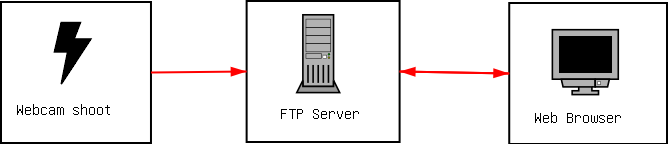
What do we need to put our on-line webcam on internet? We'll need a software that gets a shoot from our webcam and saves the
image on the hard disk to upload it to a FTP server located somewhere on
the internet. This shoot must be captured every specified time period,
that may be for example: 10, 30 or 60 seconds, it depends on what you want
and on your internet conection speed.
First at all we must have a working webcam with drivers installed on our system. If we are using MS Windows, we can test this by running Imaging under: Start/applications/accessories and try to take an image. If it works, the next step is to download a webcam software to upload the images to the FTP a good choice is: this search, we may suggest you to try KabCam it's a shareware version that you can try freely for 30 days. Try some webcam software and choose yourself a good one. Once installed you search for Configuration options and select your
capturing device and the image format, that means mainly: Image size and
File type.
Next step is to type your FTP server address, user name, password, directory
and image name and select the upload time, that means the upload frecuency.
Size: 320x200
We must now upload a .html file that will refresh itself every 30 seconds.
You could do it with your usual FTP
client.
|
|
by DrDoom
|